Posts Tagged ‘Google Adwords’

GoogleTestAd Testing What?

December 3, 2008

I was surprised to learn today searches for googletestad continue to rank high in Wordtracker’s top 200 long-term keyword report.

GoogleTestAd ranks #119 in Wordtracker’s long-term keyword list.

About Wordtracker’s top 200 long-term keyword report:

“Our current database contains 290,313,559 search terms and represents the complete queries from the largest metacrawlers on the web (Metacrawler/Dogpile etc.) for the last 150 days.”

What is the “GoogleTestTad”?

A search in Google for “googletestad” doesn’t produce a Google.com explanation page but does produce the following Google Adwords sponsored links result :

GoogleTest Ad

GoogleTest Ad

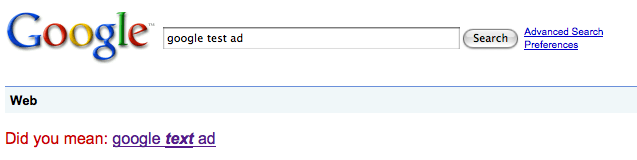
However, a search for “Google Test Ad” in Google produces a suggested spelling correction from Google – “Did you mean: google text ad.”
Google Test Ad

Google Test Ad

Not to digress – but  I wonder why Google asks the question – “Did you mean:” but doesn’t punctuate their question with a question mark?

Anyway and as far as I can tell – the GoogleTestAd has always had the same ad text:

Headline = Congratulations

Description 1 = This is a family safe ad

Description 2 = All systems are go!

Display URL = http://www.google.com.

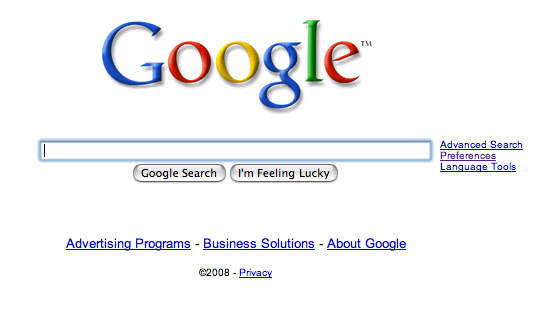
Interestingly, clicking on the ad for googletestad takes me back to Google’s home page.
Google Home Page

Google Home Page

Although Google continues testing and bidding on searches for googletestad, I am not sure whether its score is being kept or who is keeping it.

If the Google Ad for googletestad were like all others wouldn’t it too have a Quality Score?

To place ads in its behalf wouldn’t Google have to have an in-house Adwords team marketing Google’s products?

Otherwise, who is managing and bidding on keywords in their behalf?

If there is an in house advertising team – How many people are in Google’s advertising group?

How many products do they market, how many keywords do they manage and how much do they spend annually promoting Google products?

Wouldn’t Google’s buying their own ads also constitute brand management?

Does Google have a “brand manager”?

If so, who is Google’s brand manager?
Google Adwords Editor Account Posting Limits

December 1, 2008

I use Adwords Editor regularly to upload campaign, ad group, keyword and bid changes into the Adwords accounts I manage.

Adwords Editor is a very effective tool for managing multiple Google search advertising accounts at the same time.

Until today, I had yet to encounter any Adwords Editor account posting limitations.

Normally, I prepare all of my Adwords account changes in advance and post them with Adwords editor.

Adwords Editor Posting

Adwords Editor Posting

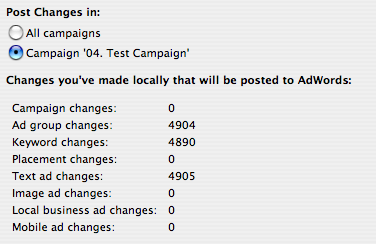
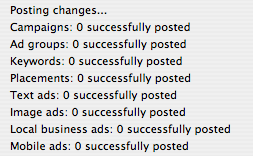
Today however while attempting to post 4,904 ad group, 4,890 keyword and 4,905 text ad changes to a nearly seven

Adwords Editor Account Post

Adwords Editor Account Post

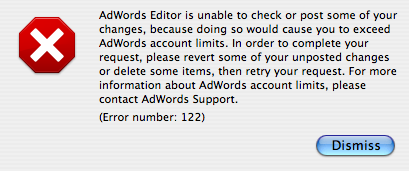
year old Adwords account, I received my first Adwords Editor Account (Error number 122).

Adwords Editor Account Limits

Adwords Editor Account Limits

I was surprised to learn I had exceeded my Adwords account limits.

I decided to call Google Adwords support @ 1-866-2Google (1-866-246-6453) and speak with an Adwords Support representative.

While discussing my account’s error message with the representative, I was told there is a 100 ad group limit per Adwords campaign unless permitted otherwise by Google via an Adwords account holder request.

The representative also suggested this may have been what caused my account to exceed its limits.

Granted, I was trying to get a bunch done at once.

Maybe the sheer number of new ad groups, keywords and ad text changes combined caused my Adwords account to exceed its posting limits.

Previously in the same account however, I have uploaded more than 100 ad groups per campaign so I am not sure if the information I received was accurate or not.

Regardless, I haven’t yet reorganized the data to attempt another post within that particular account.

Later though, I was able to post a seemingly similar large amount of data to a three year old Adwords account successfully and without incident.

This latest post had fewer campaigns, ad group and ad text changes yet had 27,183 new keyword additions.

Successful Adwords Editor Post

Successful Adwords Editor Post

My conclusion?

As with every other aspect of Google Adwords – account history and performance are taken into consideration when allowing or disallowing specific Adwords account operations to take place.

Geotargeting Brand Search Marketing

November 14, 2008

I am working on the following presentation for brand search marketers:

“GeoTarget Your Brand Advertising for Maximum Search Market Penetration and Retail Traffic Generation”

This brand search marketing presentation will cover the following topics:

• How to GeoTarget brand search advertising to drive retail traffic and sales by utilizing the four main search advertising platforms to build maximum brand search presence in yours or your resellers trade areas.

• A side by side comparison of the four main search advertising platforms Google Adwords, Yahoo Search Marketing, Microsoft adCenter and Ask Sponsored Listings along with their geotargeting options and features.

• The opportunities and limitations of each search advertising platform’s geotargeting product.

Overall, my presentation will show brand managers how to maximize the effectiveness of their brand advertising budget while increasing  brand lift.

Brand marketers who establish a search brand presence through the creation of comprehensive geotargeted search advertising campaigns will expand their competitive reach and advantage over their competitors who don’t.

I will post a more detailed presentation outline here in the near future.

Linkedin Applications: Add A WordPress Blog To Your Linkedin.com Profile

October 29, 2008

Several years ago Christian Mayaud invited me to join Linkedin.

When I created my account, little did I know Linkedin.com would go on to become the defacto online business networking site – the Myspace and Facebook for working adults.

As with most new technology tools, I was slow to fully embrace Linkedin’s potential power simply because I wanted to make sure my use of Linkedin would produce results I couldn’t otherwise produce for myself.

With time as the ultimate proving ground, the Linkedin network has increasingly become worth further investment.

In a previous post, I wrote about how to join and initiate a Linkedin Groups discussion.

The Linkedin Groups tool has helped me reach and connect with Google Adwords Professionals worldwide – a group I wouldn’t have had access to otherwise.

The ability to have discussions about Google Adwords with other practitioners around the globe has more than justified the time required to learn and use Linkedin’s tools.

Today nearly a year after seeking collaboration with outside developers, Mountain View, CA based Linked has announced eight external applications have been integrated for use within Linkedin.com

From the new Linkedin Applications page:

“LinkedIn Applications enable you to enrich your profile, share and collaborate with your network, and get the key insights that help you be more effective. Applications are added to your homepage and profile enabling you to control who gets access to what information.”

The eight Linkedin Applications are: Reading List by Amazon, Box.net Files, Company Buzz, Google Presentation, Blog Link, SlideShare Presentations, My Travel and of course – WordPress, hence this blog post.

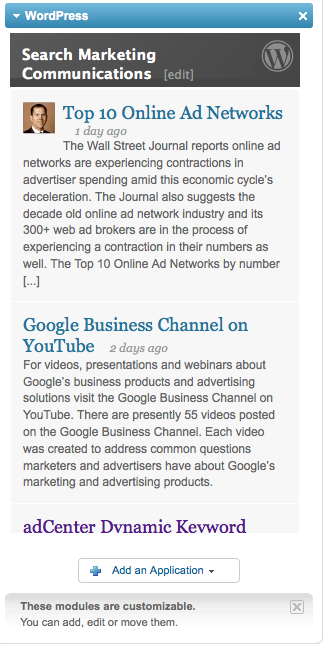
I have added my blog Cohn.Wordpress.com to my Linkedin.com profile.

Adding a WordPress blog to a Linkedin account is easy to do and can be done in just four simple steps:

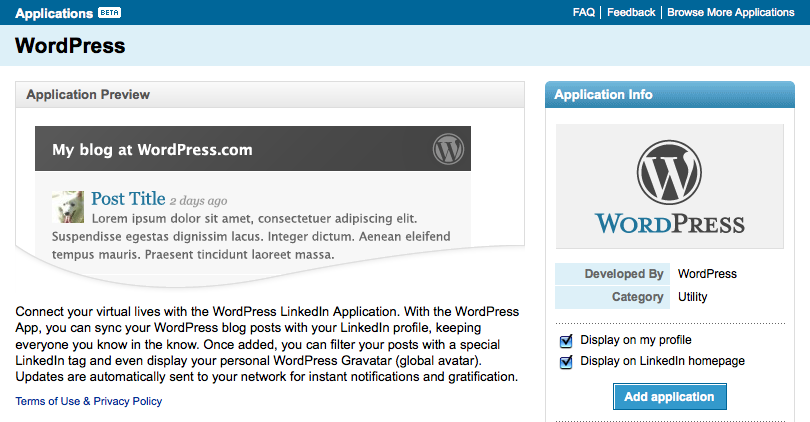
1. Click on the Linkedin Applications page and click on the WordPress icon.

Linkedin WordPress

Linkedin WordPress

2. Click add application and check whether or not you would like your WordPress blog displayed on your profile page and homepage.

Linkedin Cohn.Wordpress.com

Linkedin Cohn.Wordpress.com

3. Enter your WordPress blog address. Check whether you want all of your recent posts displayed or just posts tagged with Linkedin.

Linkedin Cohn.Wordpress.com Blog Posts

Linkedin Cohn.Wordpress.com Blog Posts

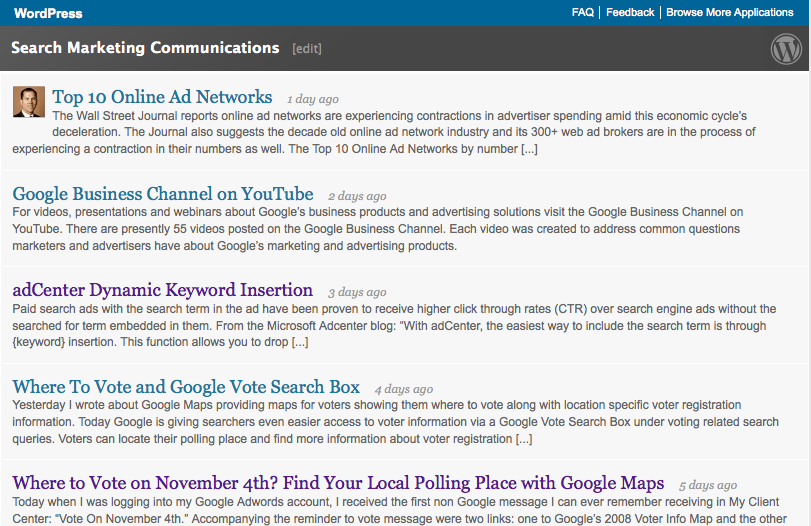
4. Save your settings and you will see your WordPress.com blog feed displayed with your previous selections featured.

Linkedin Profile

Linkedin Profile

Upon completion of these steps, visitors who view your Linkedin profile and home page (if selected) will see your WordPress blog posts.

Adding any one of these external applications to your Linkedin account can only help expand the network effects Linkedin delivers to its still growing community.

Where to Vote on November 4th? Find Your Local Polling Place with Google Maps

October 24, 2008

Today when I was logging into my Google Adwords account, I received the first non Google message I can ever remember receiving in My Client Center: “Vote On November 4th.”

Accompanying the reminder to vote message were two links: one to Google’s 2008 Voter Info Map and the other to: Find your local polling place.

Vote on November 4th

Vote on November 4th

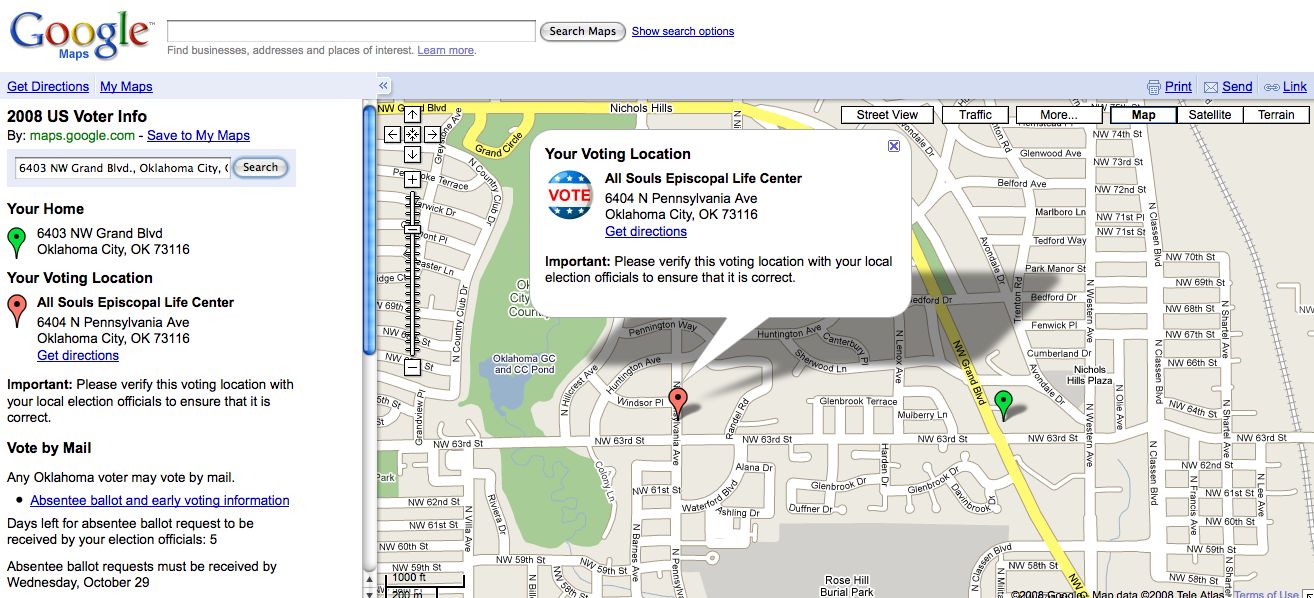
The first link took me to Google Maps and their 2008 US Voter Information search box. Here visitors can  find their neighborhood voting location by entering their home address.

According to Google, their local polling place Maps were developed with help from state and local election officials and the Voting Information Project in conjunction with the League of Women Voters.

Where To Vote

Where To Vote

I entered my address and sure enough I received the correct location for where to vote within my local precinct.

Locate Polling Place

Locate Polling Place

Google Maps suggests searchers who have looked for and found their local polling place in Google Maps verify their voting location with local election officials to ensure that it is correct.

Google Maps also provides a link to absentee ballot and early voting information for how to “Vote by Mail” as well as how much time is left for voting by mail within a particular state.

Google’s 2008 Voter information Map is a great starting point for any voter who is looking for more information about where to cast their votes in the 2008 Presidential Election on November 4th, 2008.

Google Adwords Quality Score Available in Reports

October 22, 2008

In a previous post, I requested Adwords provide Quality Score reporting options from within Adword reports.

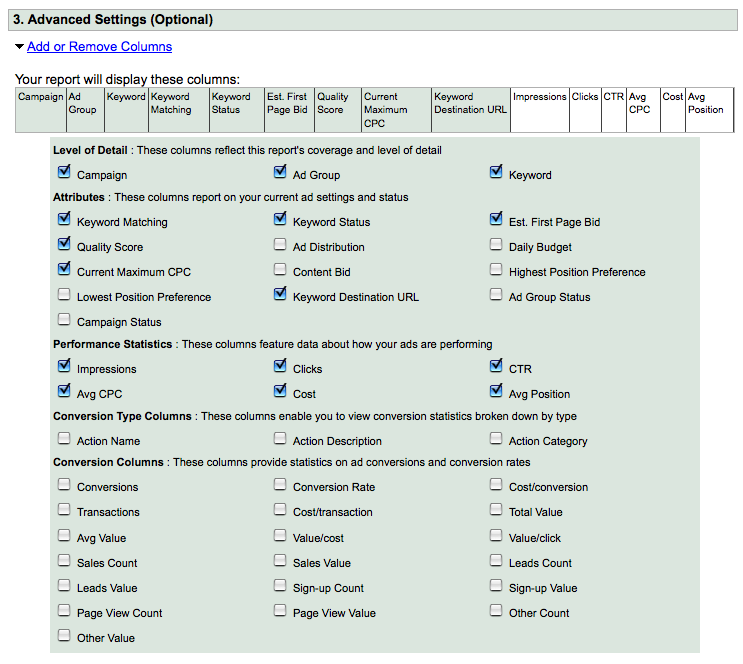
Quality Score data are now available from Google Adwords reports.

Google Adwords Quality Score Reporting

Google Adwords Quality Score Reporting

By providing Quality Score report data to their advertisers, Google Adwords has taken the first step toward making Adwords Quality Score Management a reality.

Thanks Google Adwords!

Adwords Translation Services

October 19, 2008

I get emails regularly from a variety of different web specialists who are looking for additional work.

Today I received the following email:

“I worked for Google as a QA Tester Adwords and Adsense, all in Spanish language at their headquarters in Mountain View.

I am looking for a position that will utilize my knowledge in Google products (Adwords / Adsense) as well as in Spanish. I also speak Hebrew and Arabic. I tested Adwords in BIDI languages (Bi-directions language – right to left).

I would like to work with you educating people on the power of Adwords, specifically the Spanish speaking population.”

Although I don’t have a need for translation of my Adwords campaigns into Spanish, Hebrew or Arabic – if you are looking for Adwords translation services, send me an email and I will put you in touch with an Adwords specialist who can translate your campaigns into Spanish, Hebrew and Arabic.

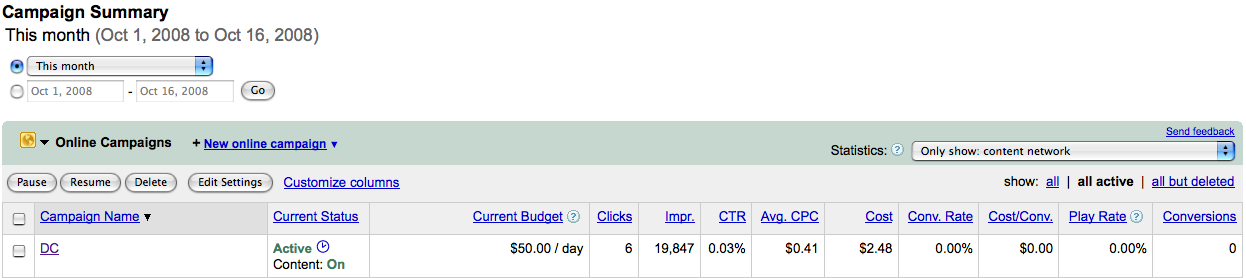
More Adwords Campaign Data Summary Display Options

October 16, 2008

Adwords is now offering seven different levels of campaign summary data at the Adwords campaign level.

The seven options are:

1. Summary: The Adwords campaign summary combines all data into a single top line of data.

Adwords Campaign Summary

Adwords Campaign Summary

2. Split – all search/content network: Search networks are combined and displayed along with content network results.

Adwords Split All Search Content Network

Adwords Split All Search Content Network

3. Split – Google search, search partners and content network: All three types of Adwords search distribution are delineated and displayed – Google search, search network partners and content network.

Adwords Split Google Search Search Partners Content Network

Adwords Split Google Search Search Partners Content Network

4. Only Show  – Google search / search partners: Adwords combines Google search and search partners’ results ( if in fact search partners distribution has been enabled ) into a single total.

Adwords Google Search Search Partners

Adwords Google Search Search Partners

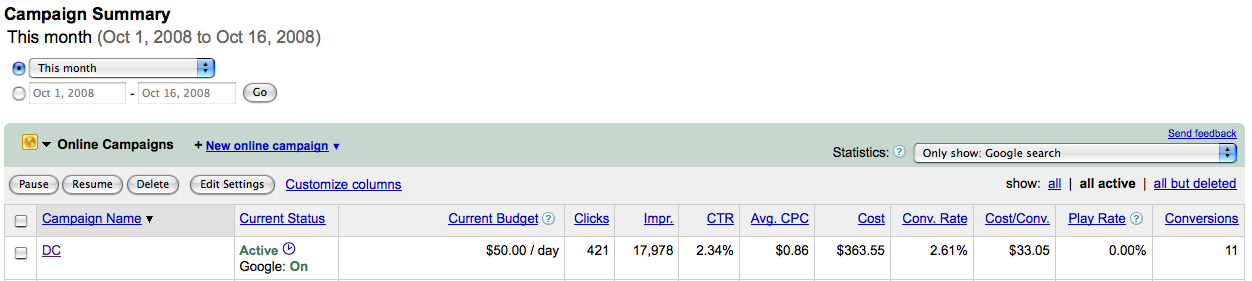
5. Only Show – Google search: Adwords campaign results data for only the Google search portion of a campaign.

Only Show Google Search

Only Show Google Search

6. Only Show – Search Partners; Adwords campaign results for search partners only – again if your campaigns have been enabled to distribute ads via Google search partners.

Only Show Search Partners

Only Show Search Partners

7. Only Show – Content Network: campaign results from Google Adwords content network distribution.

Only Show Content Network

Only Show Content Network

By providing these additional levels of data at the campaign level, Google Adwords has made scanning and interpreting Adwords campaign distribution results quicker and easier.

Targeting iPhone Users with Google Adwords

October 9, 2008

Adweek reports Google has had discussions with ad agencies regarding advertisers targeting their ads to iPhone users specifically via Google Adwords.

While in Utah yesterday, my fly fishing guide Justin Harding and I noticed when using Google search from his iPhone Google Adwords advertising was sparse.

Initially, I thought it was because of the type of search we had ran.

However, after further investigative searches under highly competitive and advertised keywords, we weren’t ever able to see Adwords sponsored links on the right rail – only above the first search result.

Can a iPhone Google search display more than two Adwords advertisers ads as is now?

We weren’t able to generate any.

How is Google parsing iPhone search ads results for display? If they are, is Google distributing advertising to the iPhone with the same formula they use for displaying search results elsewhere?

Are iPhone screen real estate limitations the reason why we could only get two ads?

Even when we rotated the search results screen for horizontal viewing – under a Google search term that would typically have had up to ten sponsored links ( both above the search results and running down the right rail ) we were only able to generate two Adwords advertisers ads.

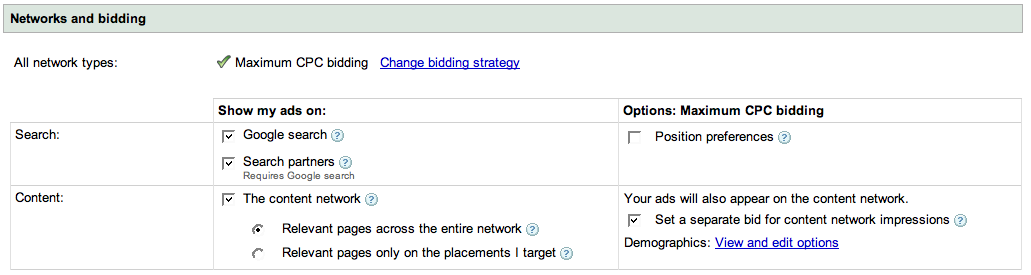
Will Google Adwords advertisers soon be able to select “iPhone” as a search distribution option along with “Google Search” and “Search Partners” within their campaigns Networks and bidding settings?

With 10 million iPhones in use and Apple’s iPhone supplying Google with its largest source of mobile search traffic, adding iPhone distribution to Google advertising campaigns will give Google Adwords advertisers another way to target and reach an increasingly mobile search audience.

Google Network Options

Google Network Options