Archive for the ‘Google Adwords’ Category

Google Adwords Updated Interface Beta

January 29, 2009

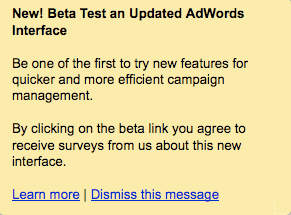
Today while logged into My Client Center in Google Adwords, I received an invite to Beta Test the Updated Adwords Interface.

Google Adwords Updated Interface Beta

Google Adwords Updated Interface Beta

I am glad they asked.

Over time, I have noticed many functionality issues throughout my Google Adwords dashboard.

I would have reported my findings some place other than here on this blog had I known who to contact or where to report my discoveries.

For example, one Adwords usability issue I discovered was the inability of My Client Center account users to dismiss Alerts from their Alert center after they were read.

Adwords has finally added a check box to dismiss some My Client Center Alerts but not all of them.

From the Adwords Updated Interface Beta:

Updated Interface Beta

Updated Interface Beta

I am looking forward to participating in the Google Adwords Updated Interface Beta.

I am switching to the Updated Interface now and will share any suggestions I have for increasing Google Adwords account management usability both here on this blog and directly with the Adwords Updated Interface Beta team.

How To Switch

How To Switch

First Screen Shot of the Google Adwords Updated Interface Beta:

New Adwords Interface

New Adwords Interface

Update: More about Low Share of Voice and other discoveries in the the Google Adwords Updated Interface Beta.

Google Adwords YouTube Sponsored Video Ads Diagnostic Tool?

January 24, 2009

I have been testing YouTube sponsored video advertising since December 6th and have started to notice both differences and  similarities between the YouTube advertising program and its cousin Google Adwords.

Back in December I established my Sponsored Video campaign in the Tim Cohn YouTube account.

However to write and launch a sponsored video ad on YouTube, advertisers must have a Google Adwords account. Once my ads were up and running the sponsored video campaign data became available in both my YouTube and my Google Adwords account.

In the beginning I would login to my YouTube account to check my ads performance. However, after several days I realized it was taking twice the effort necessary.

For years I have logged in and viewed advertising account performance data for my self and clients several times a day from within “My Client Center” in Google Adwords.

I now also prefer viewing my YouTube sponsored video performance data from within My Client Center as well.

Its just a lot easier to do.

However, viewing YouTube sponsored video data with an Adwords account causes an entire list of new compatibility issues to arise.

For instance: Checking a Sponsored video ads distribution with the Adwords Ads Diagnostic Tool – doesn’t work.

The Google Adwords Ads Diagnostic Tool doesn’t even recognize YouTube as a Google property.

YouTube Adwords

YouTube Adwords

If YouTube ad data is made available within an Adwords account shouldn’t the corresponding Adwords tools work for sponsored video ads data as well?

If they were intended to -they don’t.

I think if the tools were intended to work – no one  has checked on their functionality but me.

If they weren’t intended to work – why then is YouTube Sponsored Video Ads data made available within Google Adwords advertisers accounts?

I realize the Sponsored Video Ad program is less than two months old.

Surely other YouTube advertisers are encountering some of the same post launch issues and have questions like I do.

Where is the YouTube Sponsored Video Ad forum?

Has it been created yet?

Will it be created?

Until then or informed otherwise, consider this blog post the inaugural YouTube sponsored video ad users group forum.

Feel free to leave any questions you have about YouTube Sponsored Video ads in the comments section below and between us we can work to establish the YouTube Sponsored Video ad knowledge base.

Google Adwords Device Platform Targeting

December 12, 2008

Last weekend I was experimenting with one of my Google Adwords accounts and noticed a new category of targeting called Device Platform.

Device Platform Bidding

Device Platform Bidding

I intended at the time to write a post about it but didn’t get around to it.

By Monday, the new Adwords device platform targeting option had been officially announced and reported on by the usual cadre of Google bloggers.

After thinking about it further – I realized several months ago while fly fishing in Utah I discovered Adwords ads didn’t display on iPhones and wrote about it here.

From my previous post:

Will Google Adwords advertisers soon be able to select “iPhone” as a search distribution option along with “Google Search” and “Search Partners” within their campaigns Networks and bidding settings?

With 10 million iPhones in use and Apple’s iPhone supplying Google with its largest source of mobile search traffic, adding iPhone distribution to Google advertising campaigns will give Google Adwords advertisers another way to target and reach an increasingly mobile search audience.

Was my blog post and the Adwords creation of their new device platform targeting option pure coincidence or the result of an innocent “tacit interaction” with my blog?

After implementing the device platform targeting option within one of my Adwords campaigns I have since discovered a limitation which otherwise probably hasn’t yet been discovered let alone written about.

I will write more about the Google Adwords Device Platform targeting limitation I have discovered when time permits.

YouTube Sponsored Videos

December 8, 2008

My first YouTube Sponsored Video advertising campaign is up and running.

YouTube Sponsored Videos

YouTube Sponsored Videos

YouTube sponsored video ads work similar to Google Adwords campaigns.

Conversion tracking isn’t available and most likely won’t be for some time.

The highest bids appear to get the sponsored video ads position in yellow atop the search results much like they do in Adwords although I don’t believe relevance or Quality Score are factors used to rank ad placements within YouTube at this time.

As YouTube gains more advertisers, I would imagine ad quality and keyword relevance will be taken into consideration when calculating a sponsored video’s position within YouTube video search results.

I will continue testing this new form of video advertising – YouTube.com Sponsored Videos.

The following are promotion statistics from my video advertising campaign’s first day of activity:

YouTube Promotion Statistics

YouTube Promotion Statistics

YouTube Advertising Programs and the Sponsored Videos Dashboard

December 6, 2008

YouTube recently launched and rolled out their advertising product called Sponsored Videos.

Promote Your Video

Promote Your Video

I set up my first YouTube Sponsored Video ad this afternoon.

I will outline the steps I went through to get my first YouTube advertising campaign set up as well as the results I experience as they become available.

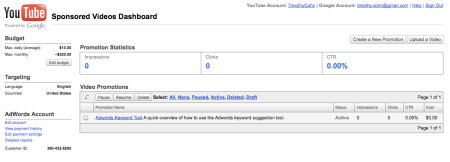
Below is a screen shot of the YouTube Sponsored Videos Dashboard.

YouTube Sponsored Videos Dashboard

YouTube Sponsored Videos Dashboard

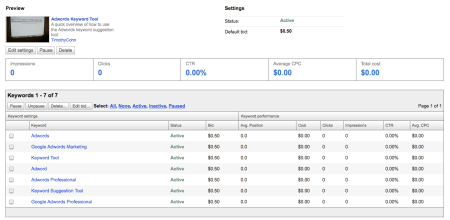
Here is a screen shot of my first YouTube.com Sponsored Videos campaign.

You Tube Sponsored Videos Dashboard Promotion Detail

You Tube Sponsored Videos Dashboard Promotion Detail

I have yet to see my Sponsored Video ad displayed anywhere…

GoogleTestAd Testing What?

December 3, 2008

I was surprised to learn today searches for googletestad continue to rank high in Wordtracker’s top 200 long-term keyword report.

GoogleTestAd ranks #119 in Wordtracker’s long-term keyword list.

About Wordtracker’s top 200 long-term keyword report:

“Our current database contains 290,313,559 search terms and represents the complete queries from the largest metacrawlers on the web (Metacrawler/Dogpile etc.) for the last 150 days.”

What is the “GoogleTestTad”?

A search in Google for “googletestad” doesn’t produce a Google.com explanation page but does produce the following Google Adwords sponsored links result :

GoogleTest Ad

GoogleTest Ad

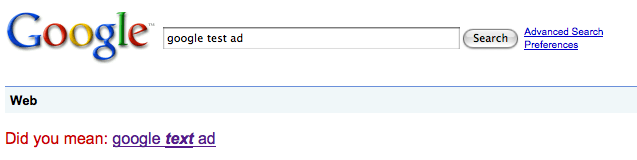
However, a search for “Google Test Ad” in Google produces a suggested spelling correction from Google – “Did you mean: google text ad.”

Google Test Ad

Google Test Ad

Not to digress – but  I wonder why Google asks the question – “Did you mean:” but doesn’t punctuate their question with a question mark?

Anyway and as far as I can tell – the GoogleTestAd has always had the same ad text:

Headline = Congratulations

Description 1 = This is a family safe ad

Description 2 = All systems are go!

Display URL = http://www.google.com.

Interestingly, clicking on the ad for googletestad takes me back to Google’s home page.

Google Home Page

Google Home Page

Although Google continues testing and bidding on searches for googletestad, I am not sure whether its score is being kept or who is keeping it.

If the Google Ad for googletestad were like all others wouldn’t it too have a Quality Score?

To place ads in its behalf wouldn’t Google have to have an in-house Adwords team marketing Google’s products?

Otherwise, who is managing and bidding on keywords in their behalf?

If there is an in house advertising team – How many people are in Google’s advertising group?

How many products do they market, how many keywords do they manage and how much do they spend annually promoting Google products?

Wouldn’t Google’s buying their own ads also constitute brand management?

Does Google have a “brand manager”?

If so, who is Google’s brand manager?

Google Adwords Editor Account Posting Limits

December 1, 2008

I use Adwords Editor regularly to upload campaign, ad group, keyword and bid changes into the Adwords accounts I manage.

Adwords Editor is a very effective tool for managing multiple Google search advertising accounts at the same time.

Until today, I had yet to encounter any Adwords Editor account posting limitations.

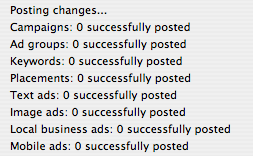
Normally, I prepare all of my Adwords account changes in advance and post them with Adwords editor.

Adwords Editor Posting

Adwords Editor Posting

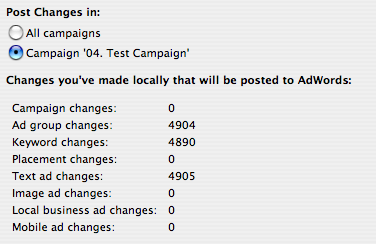
Today however while attempting to post 4,904 ad group, 4,890 keyword and 4,905 text ad changes to a nearly seven

Adwords Editor Account Post

Adwords Editor Account Post

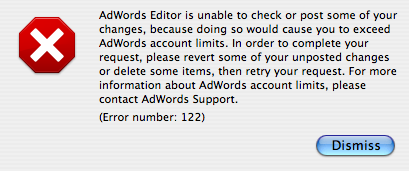
year old Adwords account, I received my first Adwords Editor Account (Error number 122).

Adwords Editor Account Limits

Adwords Editor Account Limits

I was surprised to learn I had exceeded my Adwords account limits.

I decided to call Google Adwords support @ 1-866-2Google (1-866-246-6453) and speak with an Adwords Support representative.

While discussing my account’s error message with the representative, I was told there is a 100 ad group limit per Adwords campaign unless permitted otherwise by Google via an Adwords account holder request.

The representative also suggested this may have been what caused my account to exceed its limits.

Granted, I was trying to get a bunch done at once.

Maybe the sheer number of new ad groups, keywords and ad text changes combined caused my Adwords account to exceed its posting limits.

Previously in the same account however, I have uploaded more than 100 ad groups per campaign so I am not sure if the information I received was accurate or not.

Regardless, I haven’t yet reorganized the data to attempt another post within that particular account.

Later though, I was able to post a seemingly similar large amount of data to a three year old Adwords account successfully and without incident.

This latest post had fewer campaigns, ad group and ad text changes yet had 27,183 new keyword additions.

Successful Adwords Editor Post

Successful Adwords Editor Post

My conclusion?

As with every other aspect of Google Adwords – account history and performance are taken into consideration when allowing or disallowing specific Adwords account operations to take place.

Geotargeting Brand Search Marketing

November 14, 2008

I am working on the following presentation for brand search marketers:

“GeoTarget Your Brand Advertising for Maximum Search Market Penetration and Retail Traffic Generation”

This brand search marketing presentation will cover the following topics:

• How to GeoTarget brand search advertising to drive retail traffic and sales by utilizing the four main search advertising platforms to build maximum brand search presence in yours or your resellers trade areas.

• A side by side comparison of the four main search advertising platforms Google Adwords, Yahoo Search Marketing, Microsoft adCenter and Ask Sponsored Listings along with their geotargeting options and features.

• The opportunities and limitations of each search advertising platform’s geotargeting product.

Overall, my presentation will show brand managers how to maximize the effectiveness of their brand advertising budget while increasing  brand lift.

Brand marketers who establish a search brand presence through the creation of comprehensive geotargeted search advertising campaigns will expand their competitive reach and advantage over their competitors who don’t.

I will post a more detailed presentation outline here in the near future.

Linkedin Applications: Add A WordPress Blog To Your Linkedin.com Profile

October 29, 2008

Several years ago Christian Mayaud invited me to join Linkedin.

When I created my account, little did I know Linkedin.com would go on to become the defacto online business networking site – the Myspace and Facebook for working adults.

As with most new technology tools, I was slow to fully embrace Linkedin’s potential power simply because I wanted to make sure my use of Linkedin would produce results I couldn’t otherwise produce for myself.

With time as the ultimate proving ground, the Linkedin network has increasingly become worth further investment.

In a previous post, I wrote about how to join and initiate a Linkedin Groups discussion.

The Linkedin Groups tool has helped me reach and connect with Google Adwords Professionals worldwide – a group I wouldn’t have had access to otherwise.

The ability to have discussions about Google Adwords with other practitioners around the globe has more than justified the time required to learn and use Linkedin’s tools.

Today nearly a year after seeking collaboration with outside developers, Mountain View, CA based Linked has announced eight external applications have been integrated for use within Linkedin.com

From the new Linkedin Applications page:

“LinkedIn Applications enable you to enrich your profile, share and collaborate with your network, and get the key insights that help you be more effective. Applications are added to your homepage and profile enabling you to control who gets access to what information.”

The eight Linkedin Applications are: Reading List by Amazon, Box.net Files, Company Buzz, Google Presentation, Blog Link, SlideShare Presentations, My Travel and of course – WordPress, hence this blog post.

I have added my blog Cohn.Wordpress.com to my Linkedin.com profile.

Adding a WordPress blog to a Linkedin account is easy to do and can be done in just four simple steps:

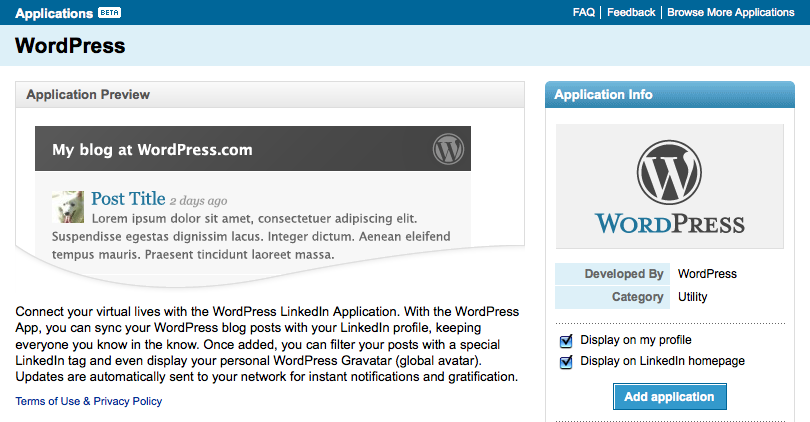
1. Click on the Linkedin Applications page and click on the WordPress icon.

Linkedin WordPress

Linkedin WordPress

2. Click add application and check whether or not you would like your WordPress blog displayed on your profile page and homepage.

Linkedin Cohn.Wordpress.com

Linkedin Cohn.Wordpress.com

3. Enter your WordPress blog address. Check whether you want all of your recent posts displayed or just posts tagged with Linkedin.

Linkedin Cohn.Wordpress.com Blog Posts

Linkedin Cohn.Wordpress.com Blog Posts

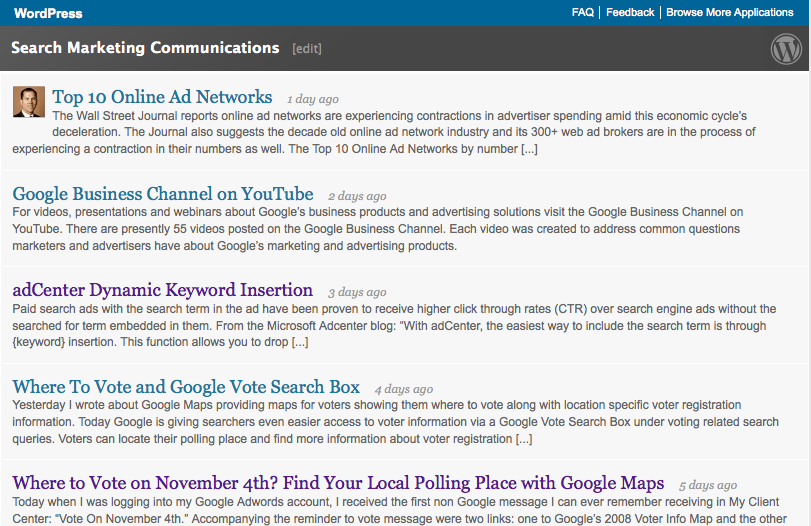
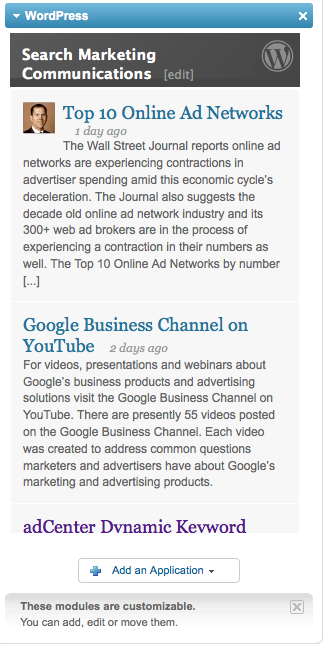
4. Save your settings and you will see your WordPress.com blog feed displayed with your previous selections featured.

Linkedin Profile

Linkedin Profile

Upon completion of these steps, visitors who view your Linkedin profile and home page (if selected) will see your WordPress blog posts.

Adding any one of these external applications to your Linkedin account can only help expand the network effects Linkedin delivers to its still growing community.