Archive for November, 2009

Google Product Search

November 30, 2009

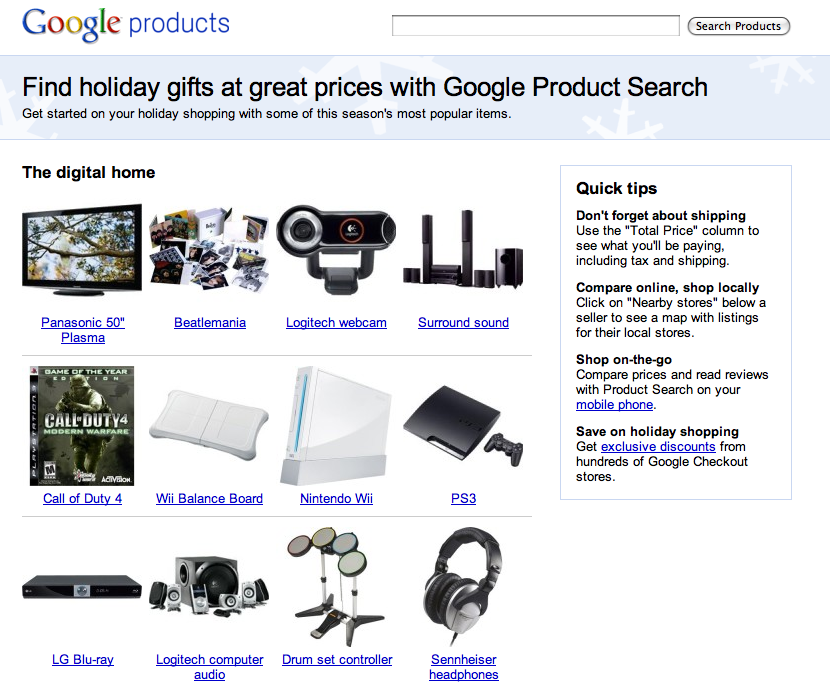
Use Google Product Search to find holiday gifts at great prices.

Product categories available for searching are “the digital home”, “gadgets on the go”, “the toy chest”, “for the ome”, “pets and pet lovers” and “boutique and beauty”.

Google Product Search

Some quick tips for using Google Product Search:

Don’t forget about shipping
Use the “Total Price” column to see what you’ll be paying, including tax and shipping.
Compare online, shop locally
Click on “Nearby stores” below a seller to see a map with listings for their local stores.
Shop on-the-go
Compare prices and read reviews with Product Search on your mobile phone.
Save on holiday shopping
Get exclusive discounts from hundreds of Google Checkout stores.

Man Caves And Time Travel

November 29, 2009

In 2008 and 2009 I added a lot of new space onto my existing home.

One of the rooms I added was a “study” which also doubles as a man cave.

As part of the project, I got a new television and whole house audio system which provides a home theater experience.

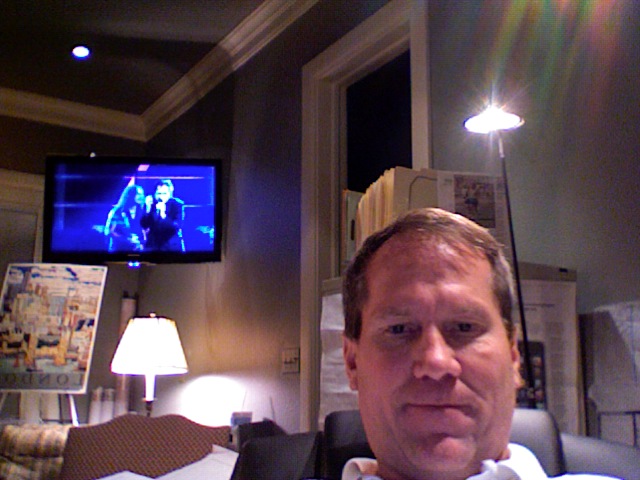
Tonight I got to watch my first concert in my “study” – the 25th Anniversary of the Rock and Roll Hall of Fame.

While watching the concert in high definition, I realized the picture quality was so good that I decided to take a snapshot of it with my computer.

Ray Davies Rock and Roll Hall of Fame

Metallica + Ray Davies @ Rock and Roll Hall of Fame

What’s cool about this scene for me is that I met Ray Davies (playing on the Samsung with Metallica @ the 25th Anniversary of The Rock and Roll Hall of Fame) and shook his hand while at a Kinks concert when I was 17 – thirty years ago.

Shaking Ray’s hand was one of the first of my many memorable Rock and Roll related memories.

I hadn’t seen Ray Davies perform since – until tonight.

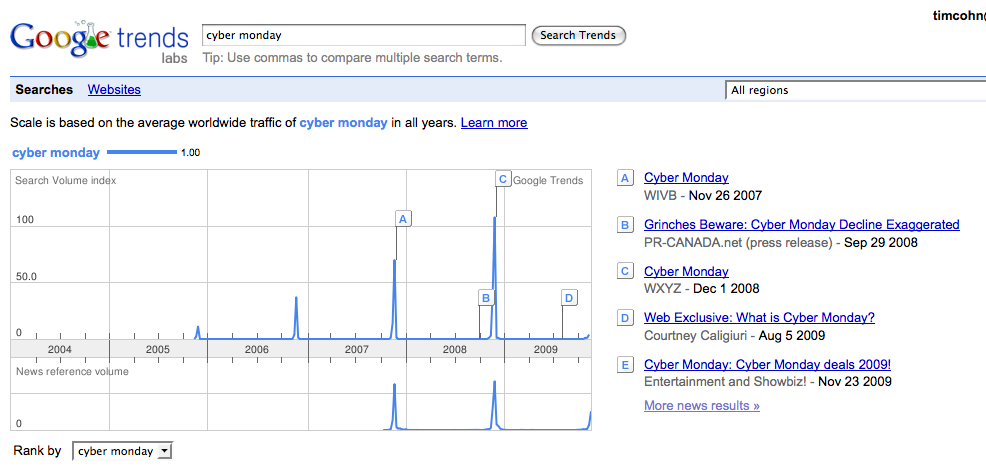
Google Trends: Cyber Monday 2009

November 28, 2009

In years past Cyber Monday received a lot of coverage from mainstream media which culminated with the day itself – the first Monday after Thanksgiving.

CyberMonday

CyberMonday

However this year I don’t recall seeing or hearing much news about Cyber Monday.

Cyber Monday 2009

Cyber Monday 2009

It will be interesting to see after Cyber Monday has came and went this year whether or not the term and its significance will mirror the interest or lack thereof found in the Google Trends data above.

Defining Your Customer Audience With Google Ad Planner

November 27, 2009

This instructional video shows how to define a customer audience in Google’s Ad Planner.

Advertisers can use Ad Planner to find sites on which to advertise by user geography, language, demographics and behavior.

In a previous post, I described how Google Ad Planner can be also be used as a competitive intelligence tool.

Happy Thanksgiving 2009

November 26, 2009

“A grateful heart is close to the riches of the Universe.”

Norman Rockwell Thanksgiving 2009

Norman Rockwell Thanksgiving 2009

Happy Thanksgiving to you and yours…

Wall Street Journal Twitter Lists

November 25, 2009

Today I unexpectedly discovered all of the Wall Street Journal’s Twitter lists.

Won’t setting these all up via RSS to be fed into my Google Reader and iGoogle account excite Mr. Murdoch even further?

Scanning all of the Wall Street Journal feeds (and now their listees) in one homogeneous format like an iGoogle page should make identifying the articles I would like to read much easier than trying to visually strip out all of the extraneous information that usually occupies the Wall Street Journal’s homepage.

@WSJ/news Get the latest breaking news headlines from top news organizations on Twitter. Following: 16
Followers: 111
@WSJ/all-things-digital Twitter list with writers from All Things Digital (ATD). Following: 3
Followers: 51
@WSJ/economics A collection of tweeters discussing the latest on the economy and its recovery. Following: 22
Followers: 73
@WSJ/wall-street-journal Get the latest headlines and breaking news alerts from the Wall Street Journal (WSJ). Following: 60
Followers: 36
@WSJ/wsj-economy The Wall Street Journal’s economics reporting team on Twitter. Following: 9
Followers: 30
@WSJ/wsj-politics The Wall Street Journal’s latest tweets on politics and policy. Following: 6
Followers: 43
@WSJ/politics A collection of VIP tweeters discussing U.S. politics and policy on Twitter. Following: 18
Followers: 19
@WSJ/entertainment Following: 13
Followers: 20
@WSJ/world-news Get the latest headlines on world events from the Wall Street Journal and more. Following: 11
Followers: 16
@WSJ/wsj-staff A comprehensive list of eporters, editors and columnists from the Wall Street Journal. Following: 66
Followers: 155
@WSJ/business Following: 11
Followers: 43
@WSJ/iran-elections Tweeters discussing Iranian elections. Following: 7
Followers: 6
@WSJ/healthcare Tweets on healthcare, including updates from the Wall Street Journal’s health team. Following: 7
Followers: 26
@WSJ/investing Tweets on investing. Woot! Following: 17
Followers: 21
@WSJ/wsj-life-style-staff The Wall Street Journal’s Life & Style reporters, editors and columnists. Following: 8
Followers: 23
@WSJ/autos Following: 8
Followers: 5
@WSJ/sports-news The latest tweets in sports. Football. Basketball. Baseball. Hockey. NASCAR. Soccer. Following: 16
Followers: 8
@WSJ/wsj-news The latest headlines from the Wall Street Journal. Following: 36
Followers: 19
@WSJ/wsj-blogs The latest from the Wall Street Journal’s blog coverage. Following: 22
Followers: 22
@WSJ/future-of-news The Wall Street Journal’s Alan Murray and his list of top tweeters discussing the future of news. Following: 13
Followers: 67

New: Google TV Ads Campaign Builder

November 24, 2009

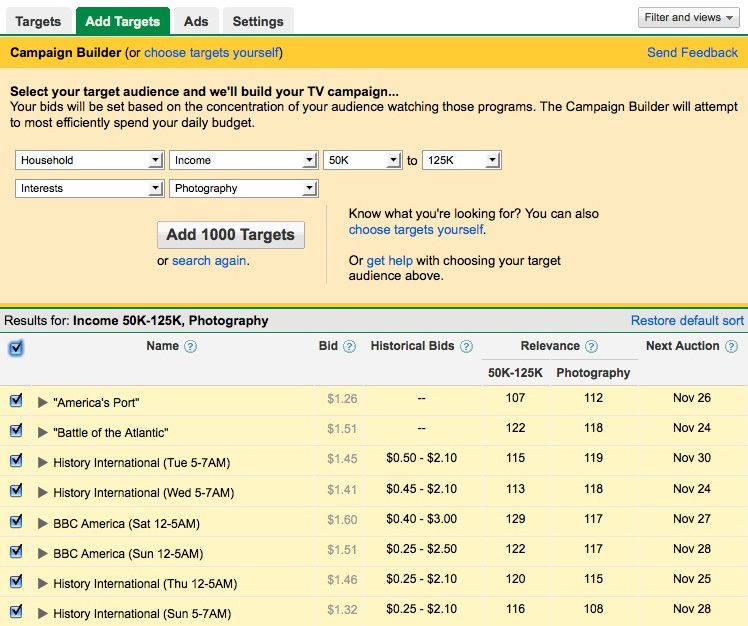
The Google TV Ads blog has announced a new feature called Campaign Builder.

From Google:

What if you could have a custom TV campaign created for you in minutes that optimally reaches your target audience? We’re pleased to unveil Campaign Builder, a new Google TV Ads feature which enables advertisers to create targeted campaigns in just a few minutes.

Google TV Ads Campaign Builder

Google TV Ads Campaign Builder

How to get started with Google TV Ads Campaign Builder:

Navigate to Campaign Builder underneath the “Add Targets” tab of any TV campaign. Then specify your target audience demographics, interests, and/or Nielsen PRIZM clusters. Campaign Builder will produce a comprehensive list of dayparts and TV programs that reach your specified audience in the highest concentrations. What’s more, the tool will automatically set strategic bids to increase your likelihood of winning optimal targets and spending your budget. After that, one click is all it takes to port the selected targets and bids into a newly created campaign that can begin running immediately.

Google offers two different tools for creating TV ads either a self-service tool called SpotMixer or they will help find a vendor to create an ad for you.

Watch this video “How To Create A TV Ad” to learn more about creating TV ads in the new Google Adwords Interface:

BusinessWeek Testing Google Voice Call Me Voice Comments

November 23, 2009

Clicking through to a BusinessWeek article today, I noticed what I thought was an ad for Google Voice.

Call Me Google

Call Me Google

After closer inspection, I realized BusinessWeek is testing a “voice comments” feature for their Byte of the Apple column.

When I first saw the ad, I had no idea what it offered. Even after several minutes of playing around with it and clicking on the learn more link did I realize the BusinessWeek page had refreshed with the following explanation page:

In the three years or so that we’ve been producing this blog, we’ve learned one thing: Opinions about Apple always run strong. Our readers love to leave lots of comments agreeing or disagreeing with our posts here. We thought we’d try a little experiment using Google Voice to give you the ability to tell us exactly what you think in your own voice.

Here’s how it works: Click the Google Voice widget over to the right, and enter your phone number. Your phone will ring, and when you answer you’ll be prompted to leave a message just like on a regular voice mail system. We promise not to share your phone number with anyone else for any reason. But if you leave us a voice message you do so with the understanding that we may publish the audio of your message here, especially those that are insightful, clever or funny. So give us your best, but be nice. All calls go straight to voice mail, so don’t expect anyone to answer in person. We hope you enjoy this feature and that it adds to the quality of our always-interesting and ongoing conversation about Apple.

Understanding what the ad offered, I then gave it a try.

I entered my Google Voice telephone number in the fields provided and clicked Connect.
Connect Call

Connect Call

Within a second or two of clicking connect, I reached a voice mail box where I heard Arik Hesseldahl of BusinessWeek explain why they are testing the Google Voice product.

I was then urged to leave my comments about their Byte of the Apple column.

This is the first time I have noticed a website of any kind incorporate voice commenting into their user engagement mix.

Although I don’t have any comments about their Apple column per se, I do have one question about the Call Me Google Voice messaging product: When can I get a Call Me Google plugin for my WordPress blog?

Isn’t this type of audience interactivity something every publisher would want for their website?
Google Advertising Professionals Search

November 22, 2009

Preparing to take my Google Advertising Professionals exam, I have had to spend a lot of time poking around in the Google Advertising Professionals section of Google Adwords.

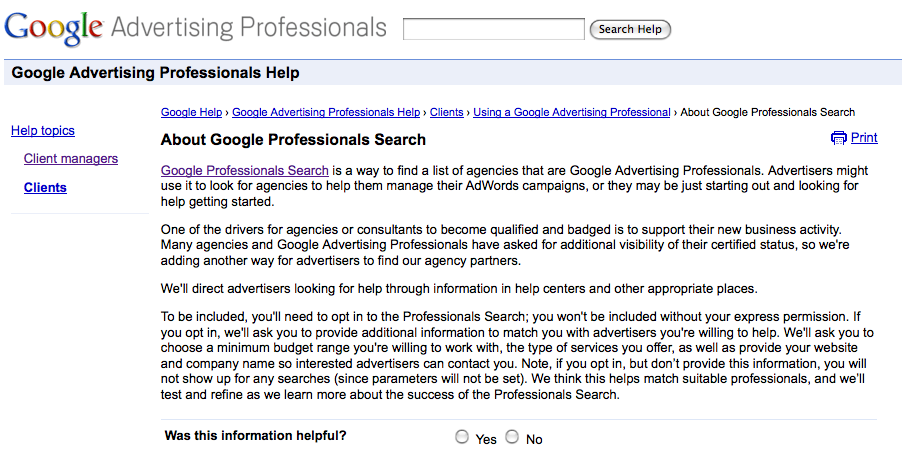
From within the Pro Center in my Google Adwords Client Center, I discovered Google Professionals Search.

According to Google Adverting Professionals Search:

Google Professionals Search is a way to find a list of agencies that are Google Advertising Professionals. Advertisers might use it to look for agencies to help them manage their AdWords campaigns, or they may be just starting out and looking for help getting started.

One of the drivers for agencies or consultants to become qualified and badged is to support their new business activity. Many agencies and Google Advertising Professionals have asked for additional visibility of their certified status, so we’re adding another way for advertisers to find our agency partners.

We’ll direct advertisers looking for help through information in help centers and other appropriate places.

To be included, you’ll need to opt in to the Professionals Search; you won’t be included without your express permission. If you opt in, we’ll ask you to provide additional information to match you with advertisers you’re willing to help. We’ll ask you to choose a minimum budget range you’re willing to work with, the type of services you offer, as well as provide your website and company name so interested advertisers can contact you. Note, if you opt in, but don’t provide this information, you will not show up for any searches (since parameters will not be set). We think this helps match suitable professionals, and we’ll test and refine as we learn more about the success of the Professionals Search.

Search For Google Advertising Professionals

Search For Google Advertising Professionals

I am not sure whether Google Advertising Professionals Search is a new or old feature in Google Adwords, but the search function isn’t enabled or active.

Google Advertising Professionals Search 404

Google Advertising Professionals Search 404

Take A Virtual Vacation To Hawaii With Google Maps

November 21, 2009

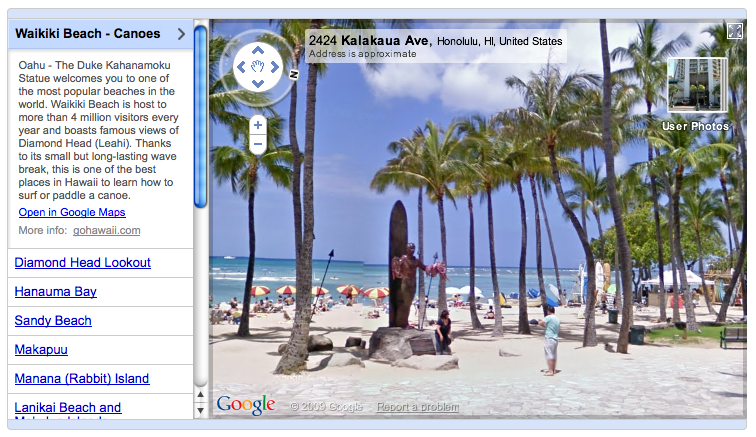
In 1959 Hawaii became the 50th state admitted to the union. 50 years later, Google has included Hawaii as the 50th state in their Street View in Google Maps.

With Google’s imagery of Oahu and Maui, visitors can now take a virtual vacation to Hawaii’s white sandy beaches or plan their next trip.

Take a virtual vacation to the beaches of Hawaii by visiting Google’s Street View Gallery.

Take A Virtual Vacation To Hawaii

Take A Virtual Vacation To Hawaii