Adwords is now offering seven different levels of campaign summary data at the Adwords campaign level.
The seven options are:
1. Summary: The Adwords campaign summary combines all data into a single top line of data.

Adwords Campaign Summary
2. Split – all search/content network: Search networks are combined and displayed along with content network results.

Adwords Split All Search Content Network
3. Split – Google search, search partners and content network: All three types of Adwords search distribution are delineated and displayed – Google search, search network partners and content network.

Adwords Split Google Search Search Partners Content Network
4. Only Show – Google search / search partners: Adwords combines Google search and search partners’ results ( if in fact search partners distribution has been enabled ) into a single total.

Adwords Google Search Search Partners
5. Only Show – Google search: Adwords campaign results data for only the Google search portion of a campaign.
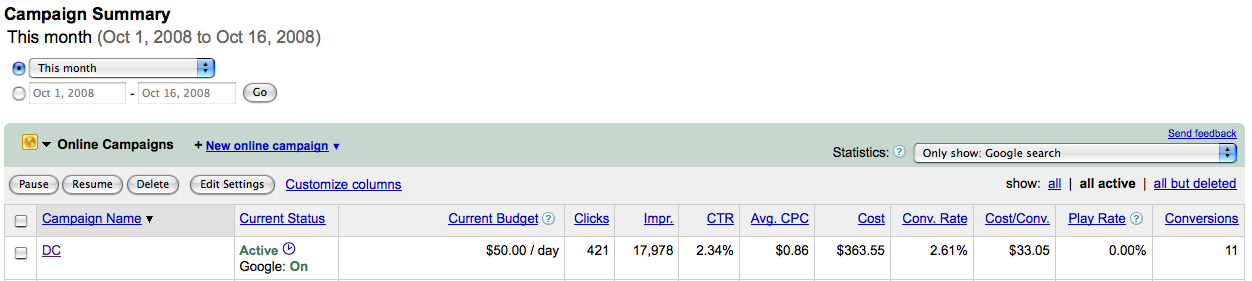
Only Show Google Search
6. Only Show – Search Partners; Adwords campaign results for search partners only – again if your campaigns have been enabled to distribute ads via Google search partners.

Only Show Search Partners
7. Only Show – Content Network: campaign results from Google Adwords content network distribution.
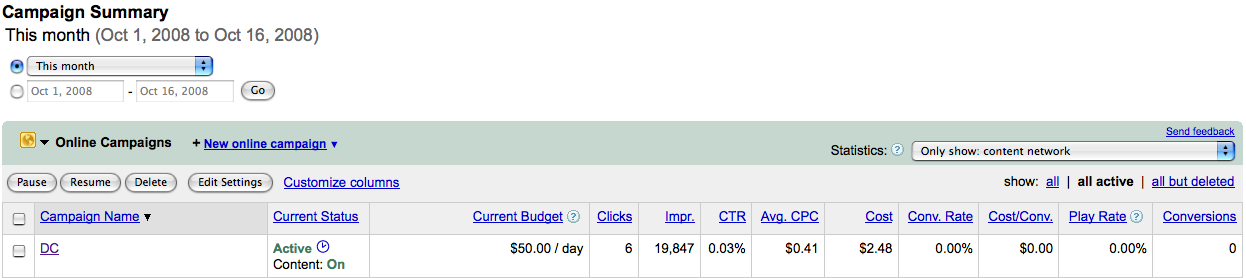
Only Show Content Network
By providing these additional levels of data at the campaign level, Google Adwords has made scanning and interpreting Adwords campaign distribution results quicker and easier.


 Search Marketing Communications
You must be logged in to post a comment.